Old Photo Restorer

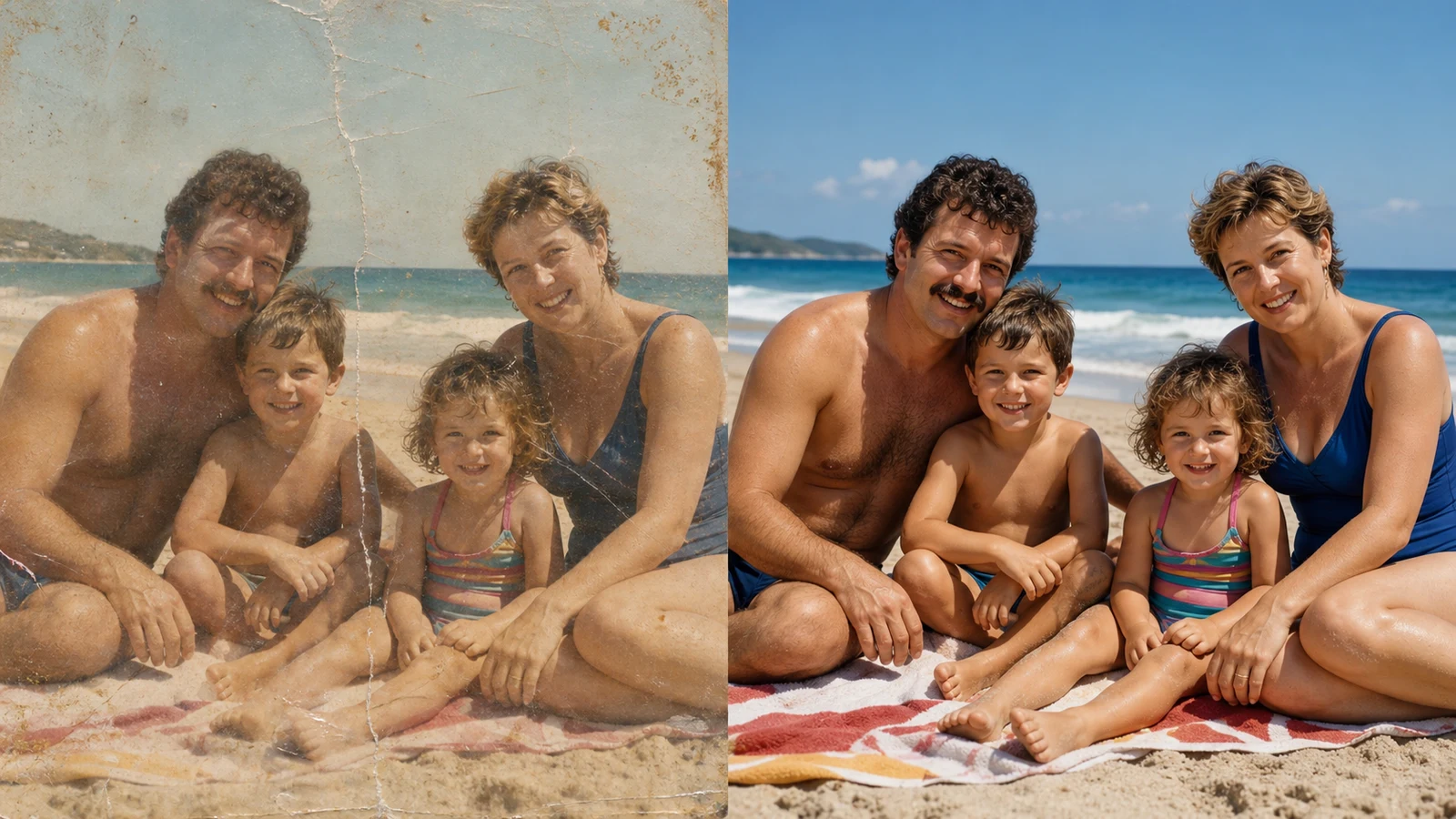
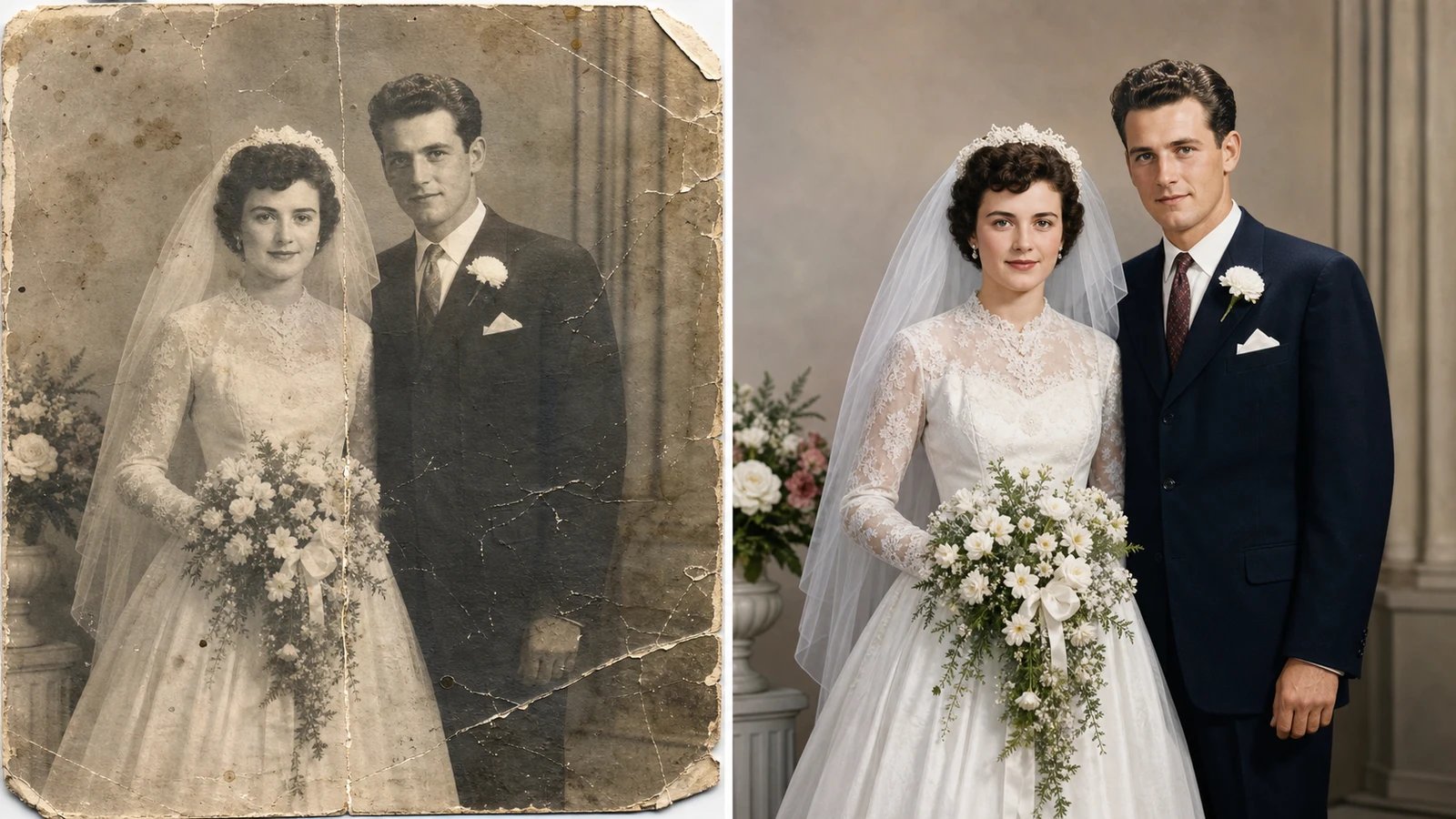
Upload a scanned portrait, family snapshot, school picture, military photo, or wedding print and let the old photo restorer repair the image into a clean modern result. OpenImg uses AI image restoration to remove scratches, cracks, fading, stains, blur, dust, and yellowed paper while preserving the people and the historical character of the original. The example image uses a comparison layout so you can see the repair quality, but the generator creates one restored output for your uploaded photo.

Why this old photo restorer works for real family archives

The old photo restorer is built for the messy scans people actually have: faded paper, cracked emulsion, sepia portraits, low-resolution JPEGs, and color-shifted snapshots. It combines repair, colorization, detail recovery, and respectful identity preservation in one promptable workflow.

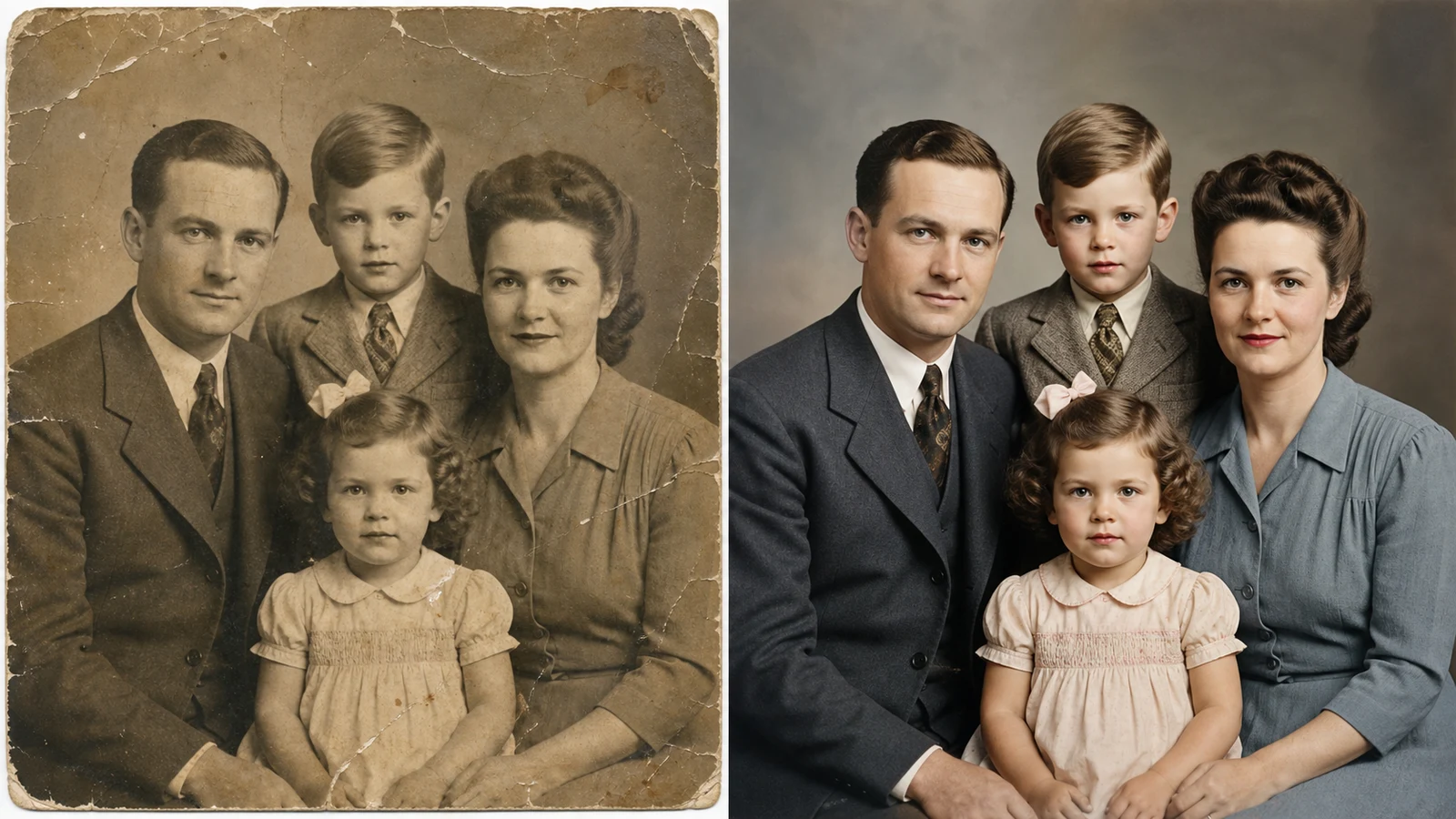
Best old photo restorer repairing a cracked and water-stained vintage wedding portrait

Damage Repair

Repair scratches, cracks, stains, and faded paper

A strong old photo restorer should do more than brighten a scan. It needs to detect physical damage, rebuild missing texture, and remove visual noise without turning a real memory into a plastic portrait. OpenImg is tuned for scratches across faces, folded paper lines, dust specks, water stains, torn corners, faded contrast, and yellowed photo paper. Use the old photo restorer online when a vintage family portrait has surface damage but the faces, clothing, and setting still matter. The model can clean the surface, recover contrast, and keep the restored photo believable.

Scratch repairCrack cleanupFaded paper
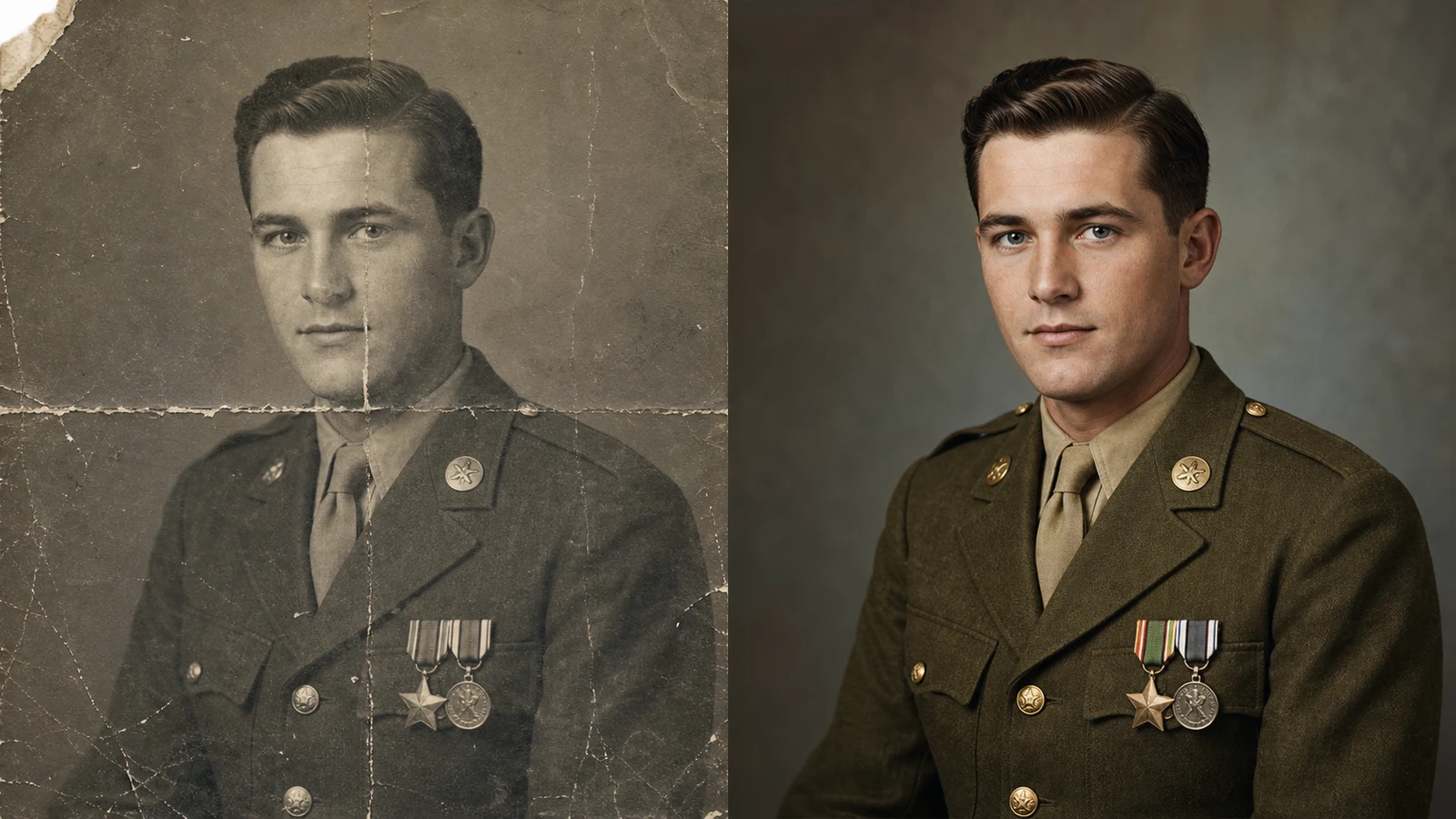
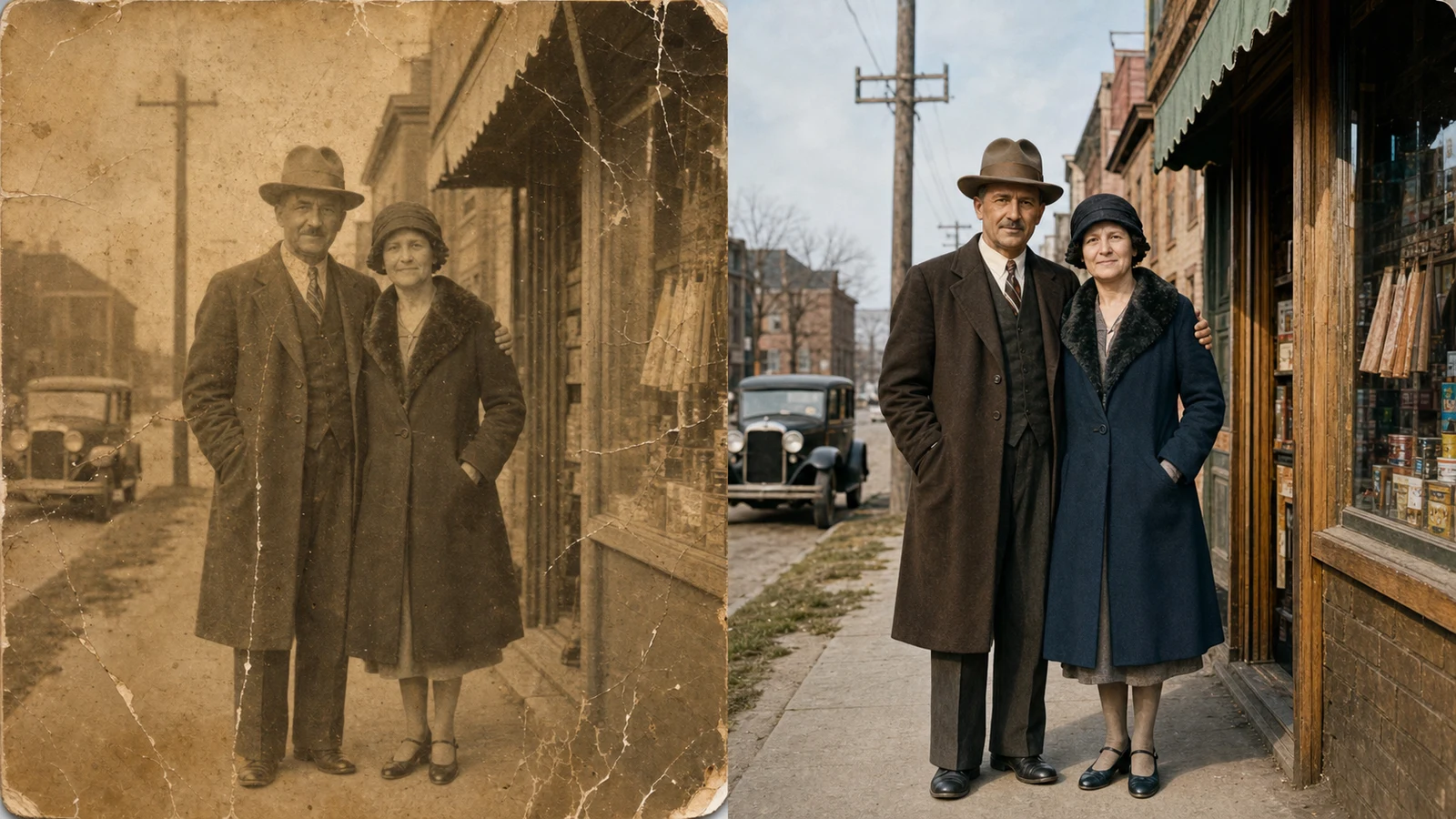
Old photo restorer and colorizer restoring a damaged 1940s military portrait with natural detail

Natural Color

Use an old photo restorer and colorizer in one pass

Many tools either clean damage or add color, but old photos often need both. This old photo restorer and colorizer can turn black-and-white or sepia portraits into natural color while respecting the period. Skin tones should stay soft, uniforms should not become neon, wedding fabrics should keep their texture, and backgrounds should remain historically plausible. Write a prompt that asks for natural colorization, repaired paper damage, sharper facial detail, and preserved vintage character. The old photo restorer can then create a finished image that feels restored rather than artificially modernized.

ColorizerNatural tonesPeriod detail
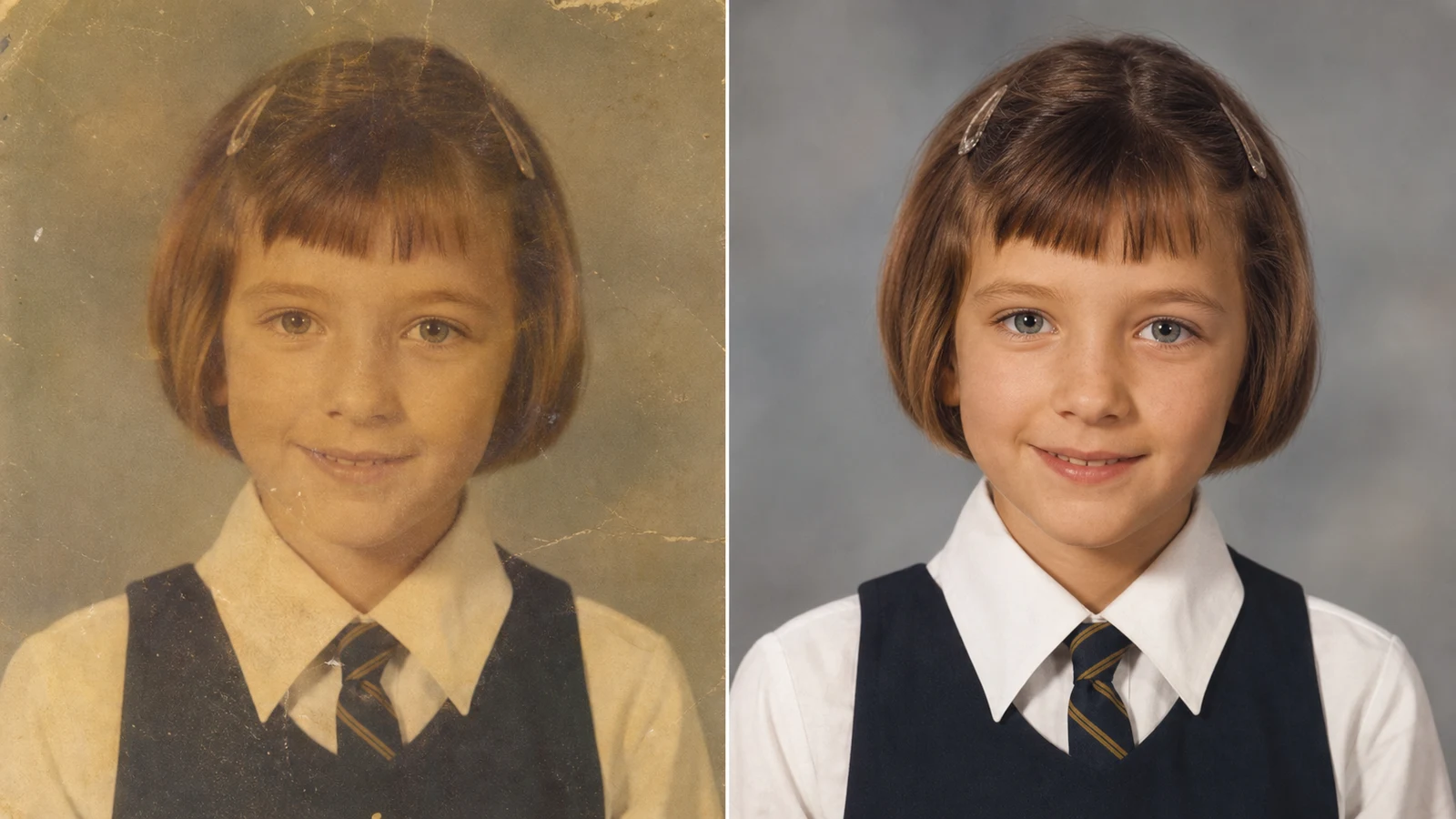
AI old photo restorer converting a faded childhood school portrait into a crisp 4K color result

4K Upscale

Turn an old photo to new 4K without losing identity

The most useful old photo to new 4K workflow sharpens important details while refusing to invent a different person. OpenImg can upscale soft scans, clarify eyes, recover hair texture, balance lighting, and clean compression artifacts. The old photo restorer should preserve the original face shape, age, expression, pose, clothing, and historical context. Use it for portraits, graduation photos, military images, wedding prints, and everyday family snapshots when you want an old photo to new 4K online result that can be shared, printed, or archived.

4K upscalerIdentity safeArchive ready
Workflow

How to use the old photo restorer online

A good old photo restorer prompt names the damage, the desired restoration quality, and the details that must stay unchanged. Use the default prompt as a starting point, then add specific notes for your photo.

1

Upload the clearest scan you have

Start the old photo restorer with the highest-resolution scan or phone capture available. A flat, evenly lit image helps the AI separate real detail from scratches, dust, blur, and faded paper.

2

Describe the damage

Tell the old photo restorer what to fix: cracks, fold lines, stains, torn corners, sepia fade, low contrast, motion blur, compression, water damage, or color shift. Specific damage instructions make the restoration cleaner.

3

Protect identity and vintage character

Ask the AI old photo restorer to preserve faces, age, clothing, pose, background, camera era, and family resemblance. Restoration should clean the memory, not replace it with a new person.

4

Generate, review, and refine

Download the restored output, then rerun the old photo restorer if you need softer color, stronger scratch removal, less sharpening, or a more faithful black-and-white finish.

Old photo restorer prompt ideas for better results

Use these prompt directions when you want the old photo restorer to act like a careful archive assistant rather than a generic image filter.

Old Photo Restorer FAQ

Common questions about using an old photo restorer, old photo restorer online workflows, old photo restorer free access, AI colorization, and old photo to new 4K restoration.


Restore an old photo now

Use the old photo restorer to repair faded memories, colorize portraits, and turn an old photo to new 4K quality while preserving the people and vintage character that matter.

Try Old Photo Restorer