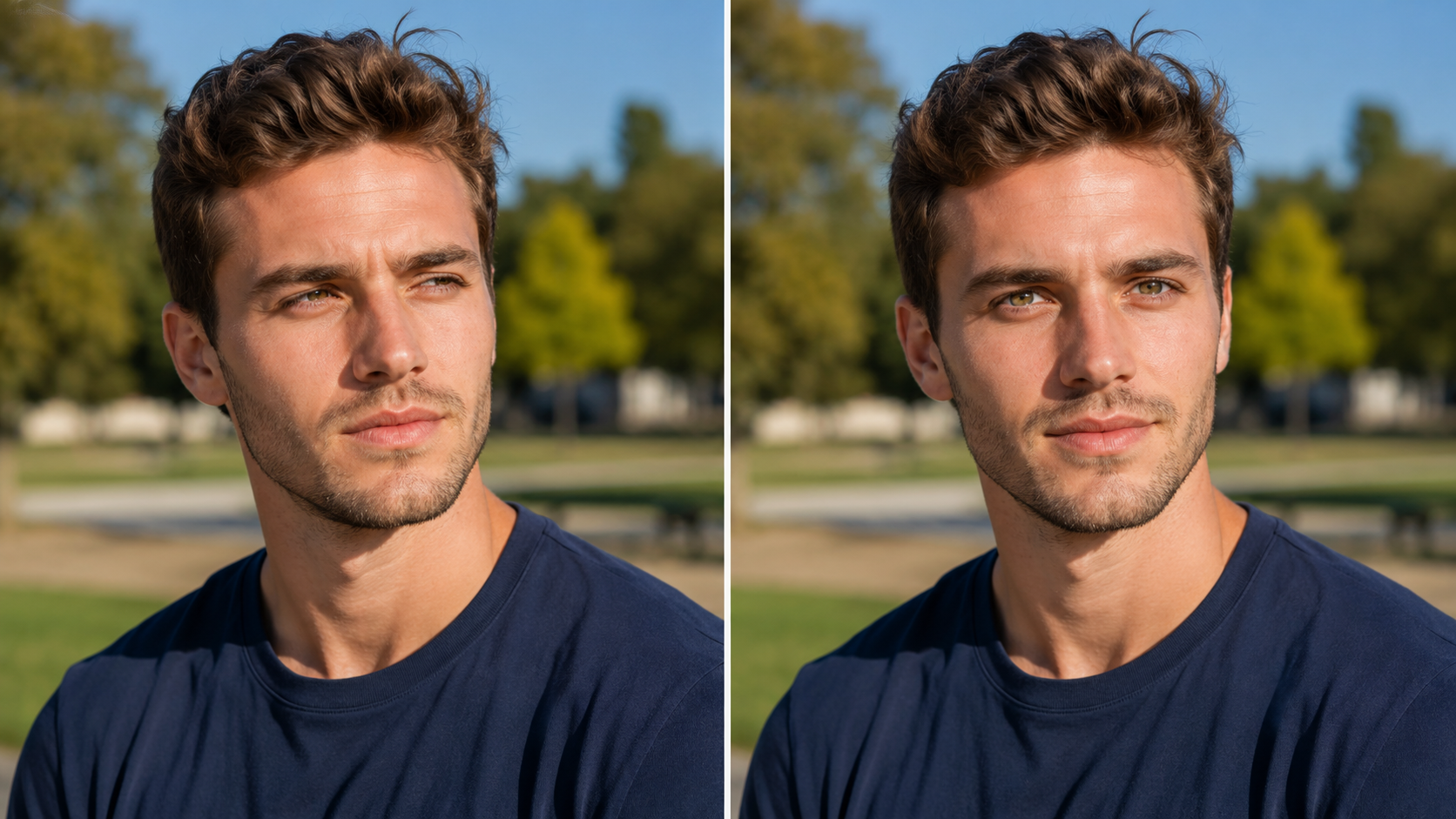
Change Eye Direction in Photos with OpenImg AI in Seconds

OpenImg's eye direction changer ai free tool lets you adjust gaze direction in any portrait without editing software. Upload your photo, describe the target direction — look at the camera, look left, look right, look up, or open closed eyes — and the AI maps iris boundaries and pupil position, then rotates each eye naturally within the socket while preserving skin tone, eyelid shape, brow position, and ambient lighting. No sliders, no manual warping, no face swap artifacts, no watermarks. Change eye direction in photos online free with OpenImg in one pass.

AI gaze redirection that looks completely natural

Describe where you want the gaze to go and the AI handles the rest — no manual masking, no warping tools, no editing skills needed.

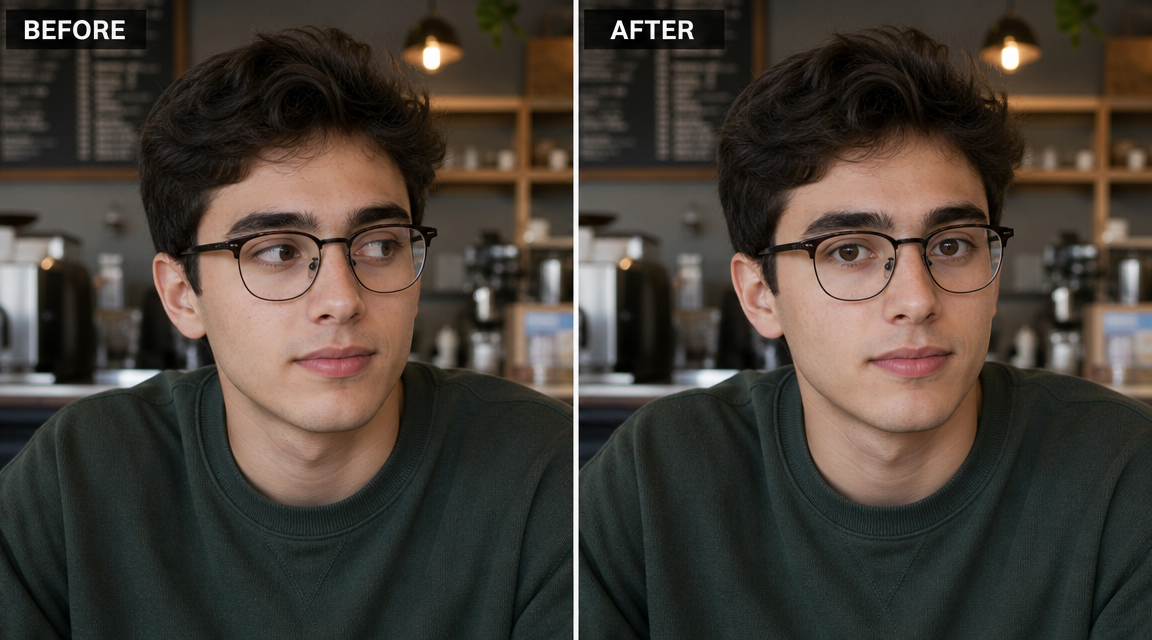
AI iris and pupil detection mapping on a portrait for gaze direction change

Smart Iris Detection

The AI finds the eyes and maps gaze direction automatically

Drop in your photo and the model locates both eyes, identifies iris boundaries and pupil center, and determines the current gaze vector. It separates the eye region from surrounding skin and eyelid geometry, then calculates the precise rotation needed to redirect the gaze to your target direction. Every step happens automatically — no manual selection required.

Iris detectionGaze mappingAuto analysis
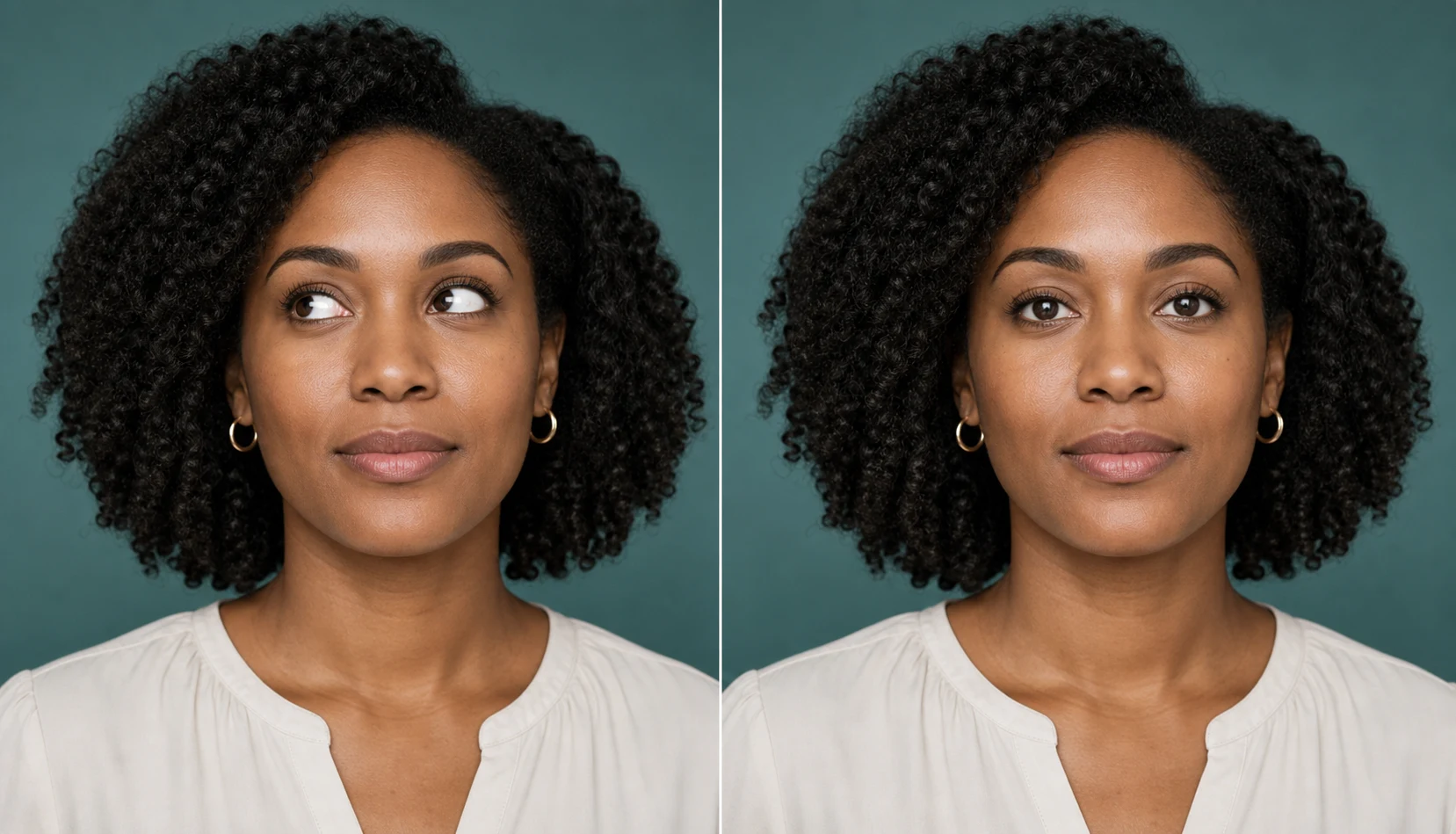
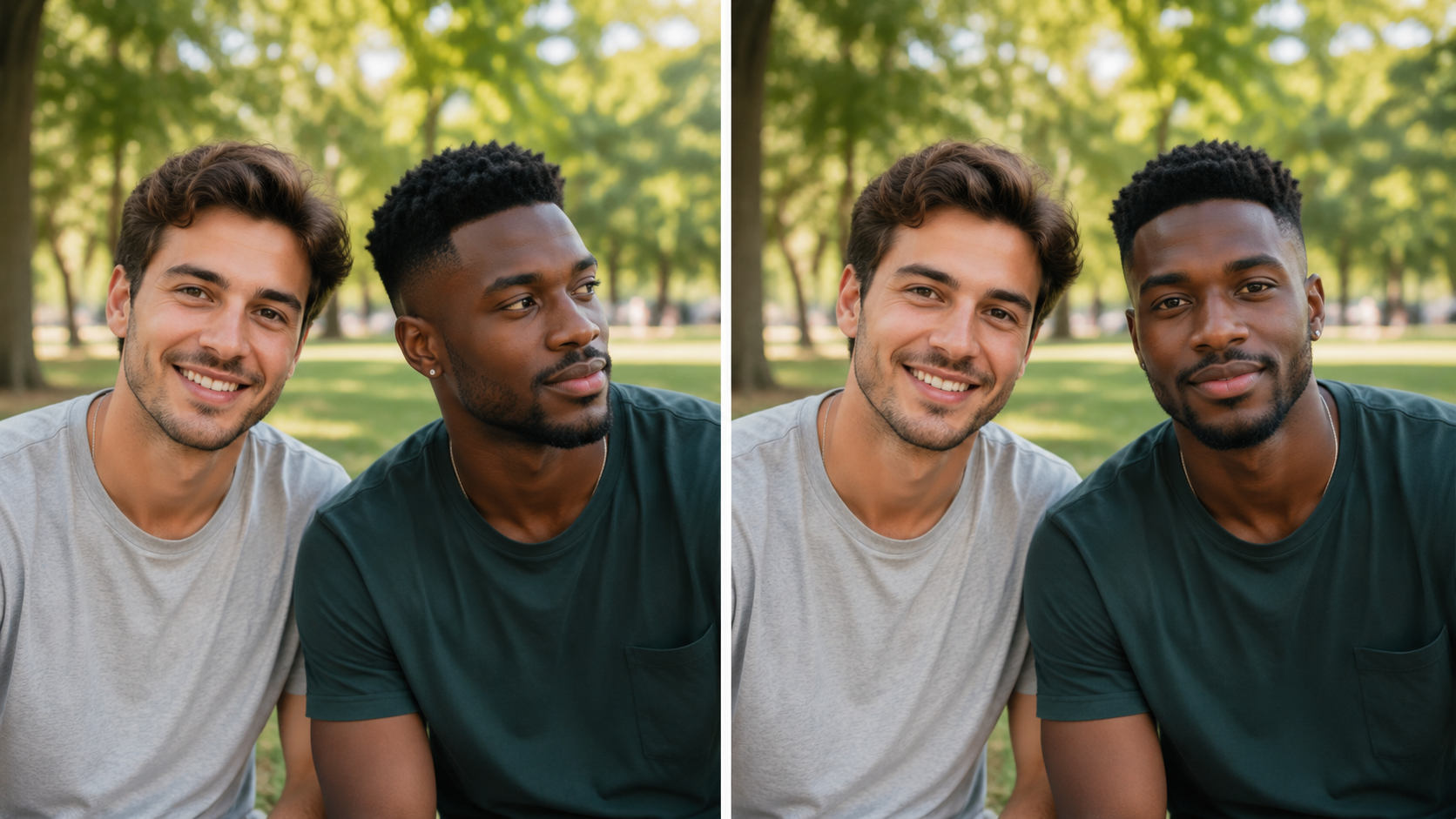
Natural eye reconstruction result after AI gaze redirection showing preserved skin and eyelid detail

Natural Eye Reconstruction

The result preserves every detail around the eyes

Instead of pasting a generic eye asset, this eye direction changer rotates and repositions the existing iris and pupil within the original eye socket. It maintains iris color, pupil dilation, eyelid crease, skin texture, and brow position. The surrounding orbital area blends seamlessly so the redirected gaze looks like it was captured that way in camera.

Natural resultDetail preservationSeamless
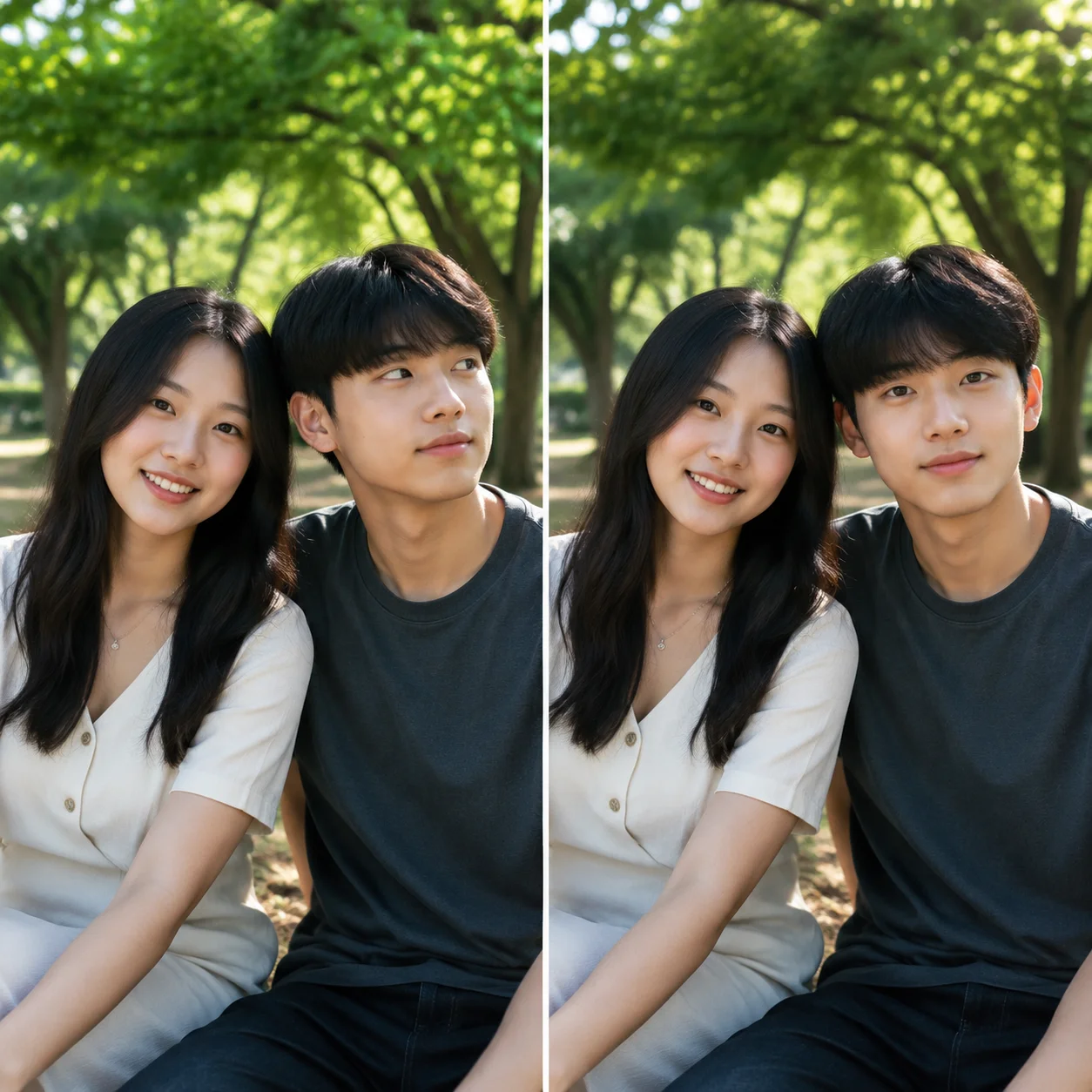
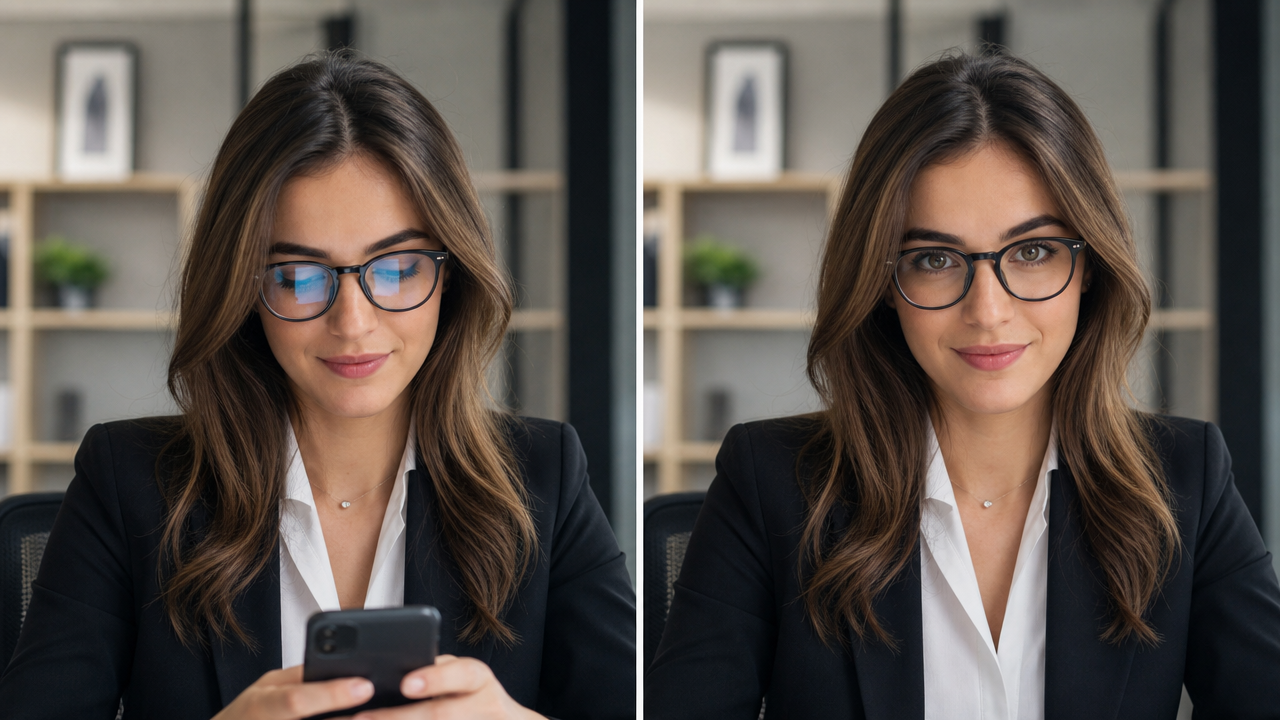
Comparison showing eye direction change from closed eyes and off-camera gaze to looking at camera

Fix closed eyes, blinks, and off-camera gaze

Works on closed eyes, half-blinks, and any gaze angle

The eye direction changer AI can open closed eyes by reconstructing the iris and pupil from context, fix half-blinked shots where the subject was mid-blink, and redirect gaze from any angle — looking left, right, up, down, or away from camera. It handles group photos where not everyone is looking at the lens, individual portraits with a wandering gaze, and selfies where the subject looked at the screen instead of the camera.

Fix closed eyesGaze correctionGroup photo fix
Workflow

How to change eye direction in a photo

Four steps to redirect gaze with this eye direction changer online ai. No editing experience or software needed.

1

Select your photo

Choose a portrait where you want to change the eye direction — closed eyes, looking away, blinking, or any gaze that does not match what you need. The AI eye direction changer handles most face angles and lighting conditions automatically.

2

Describe the desired gaze

Type where you want the eyes to look — “gaze directly into the lens”, “look left”, “look up”, “open eyes” — or use the default prompt for natural straight-ahead gaze correction. The AI reads your instruction and plans the iris rotation accordingly.

3

Review and refine

Check the output to verify the gaze looks natural and the face remains consistent. Toggle before and after. If you want further adjustment, update the prompt and run again — the AI refines based on your new instruction.

4

Download your corrected photo

Preview the gaze-adjusted portrait, confirm every detail looks natural, and save the image to your device. The eye direction changer online free delivers a corrected photo ready for immediate use.

Tips for better gaze redirection results

Small adjustments to your source photo and prompt make a big difference when using an eye direction changer photo editor for natural-looking results.

Frequently asked questions about AI eye direction changer

Common questions about how the AI changes eye direction, what it works on, and what to expect from the result.


Ready to change eye direction in your photo?

Upload a portrait above and redirect the gaze naturally in seconds. No account, no cost, no complications.

Change Eye Direction Now